
PC Remote FREE1.2.9 - Get APK
You'll be able to download in few seconds.
Publisher Description
✭✭✭✭✭ "Wow fantastic This is the best app." - Robin Samsung Galaxy Note 3
✭✭✭✭✭ "Great App. I like and very responsive." - Vanya Sony Xperia Z1
✭✭✭✭✭ ". Excellent It was awesome app I love it." - Eric Samsung Galaxy S4
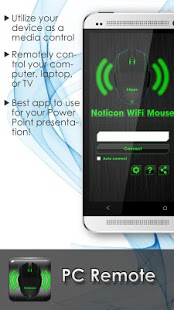
PC Remote is an application that allows you to remotely control your computer, laptop or TV via Wi-Fi connection without ads. Get an awesome new version of Remote Live PC Remote on Google Playstore and enjoy control devices remotely without getting up.
Get access to desktops, laptops, and even TVs and use your favorite programs from a distance. You can control the mouse, keyboard, browse the Internet, a snapshot of the current screen or just close the page you are working on (with function keys and buttons). This is the best application to use when discussing or PowerPoint presentation at work or at school. You can even use it to deceive members of the family at home!
Requirements to work with your computer and your Android device:
- Java 1.6 on the PC
- Wi-Fi connection between your phone and PC
- Android 1.5 and above
How to use:
1 Download and open PCRemote.exe on your desktop or laptop computer (Compatible with Windows, Apple, Linux operating systems)
Download Link: http://goo.gl/lls3wh
2 After PCRemote.exe installed, it is placed in the system tray and pops up showing your computer or laptops IP network to connect your smartphone or tablet, and then begin to control your TV.
3 Download and open PCRemote on your application, Android Mobile or Tablet, then click connect automatically if you are connected to your home Wi-Fi or enter the IP address that you were shown with PCRemote.exe pop-up window.
Link: https://play.google.com/store/apps/details?id=com.eapps.androidpcremote
4 After connecting control your laptop or desktop computer using a smartphone or tablet, you can also connect your laptop, computer or media center to your TV, your phone will now control for the TV.
Try our PC Remote now and experience the best remote access ever created! It's fun, but useful app on the market.
★ High-tech user-friendly interface design.
★ Download version android remote right now on Google Play Store.
★ Created by one of Australia's leading companies App Development.
For technical problems or questions (including employees of Google), please email us at any time. We listen to user feedback and we will certainly keep improving features so stay tuned.
facebook - https://www.facebook.com/pages/Android-PC-Remote/561139067263290
Twitter - https://twitter.com/androidpcremote
Pinterest - http://www.pinterest.com/EnlightenedApps/android-pc-remote/
Tumblr - http://androidpcremote.tumblr.com/
Youtube Video - https://www.youtube.com/watch?v=1UPOchk5RRs
Thank you,
Androidpcremote@gmail.com
About PC Remote FREE
The company that develops PC Remote FREE is PCRemote - The Original PC Remote. The latest version released by its developer is 1.2.9.
To install PC Remote FREE on your Android device, just click the green Continue To App button above to start the installation process. The app is listed on our website since 2015-11-16 and was downloaded 0 times. We have already checked if the download link is safe, however for your own protection we recommend that you scan the downloaded app with your antivirus. Your antivirus may detect the PC Remote FREE as malware as malware if the download link to com.eapps.androidpcremote is broken.
How to install PC Remote FREE on your Android device:
- Click on the Continue To App button on our website. This will redirect you to Google Play.
- Once the PC Remote FREE is shown in the Google Play listing of your Android device, you can start its download and installation. Tap on the Install button located below the search bar and to the right of the app icon.
- A pop-up window with the permissions required by PC Remote FREE will be shown. Click on Accept to continue the process.
- PC Remote FREE will be downloaded onto your device, displaying a progress. Once the download completes, the installation will start and you'll get a notification after the installation is finished.
Program Details
System requirements
Download information
Pricing
Version History
version 1.2.9
posted on 2015-11-16
Android PCRemote now updated to give you more control over your computer or laptop; new functions include:,- On landscape, powerful new system commands screen with all the functions you have in your Control Panel,- Abilty to access ALT+CTRL+DEL from your Mobile or Tablet through System Command screen in landscape
version 1.2.8
posted on 2014-05-22
Several fixes and updates
Disclaimer
External Download
We do not host PC Remote FREE on our servers. We did not scan it for viruses, adware, spyware or other type of malware. This app is hosted by Galad and passed their terms and conditions to be listed there. We recommend caution when installing it.
The APK Download link for PC Remote FREE is provided to you by apps112.com without any warranties, representations or guarantees of any kind, so access it at your own risk.
If you have questions regarding this particular app contact the publisher directly. For questions about the functionalities of apps112.com contact us.
